Outdoor portraits often look beautiful on their own. Natural greenery, soft depth of field, and authentic expressions already create a strong foundation. However, what separates a normal photograph from a truly unforgettable image is atmosphere. In this guide, you will learn how to transform a simple forest portrait into a magical butterfly fantasy scene using AI-based prompts and professional editing techniques.
Understanding the Before Image
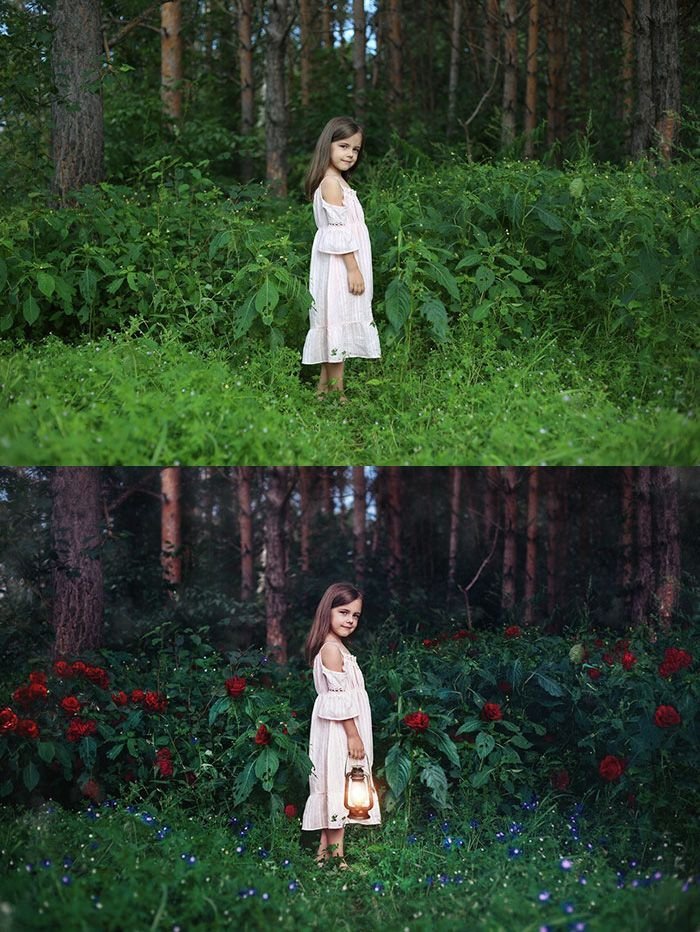
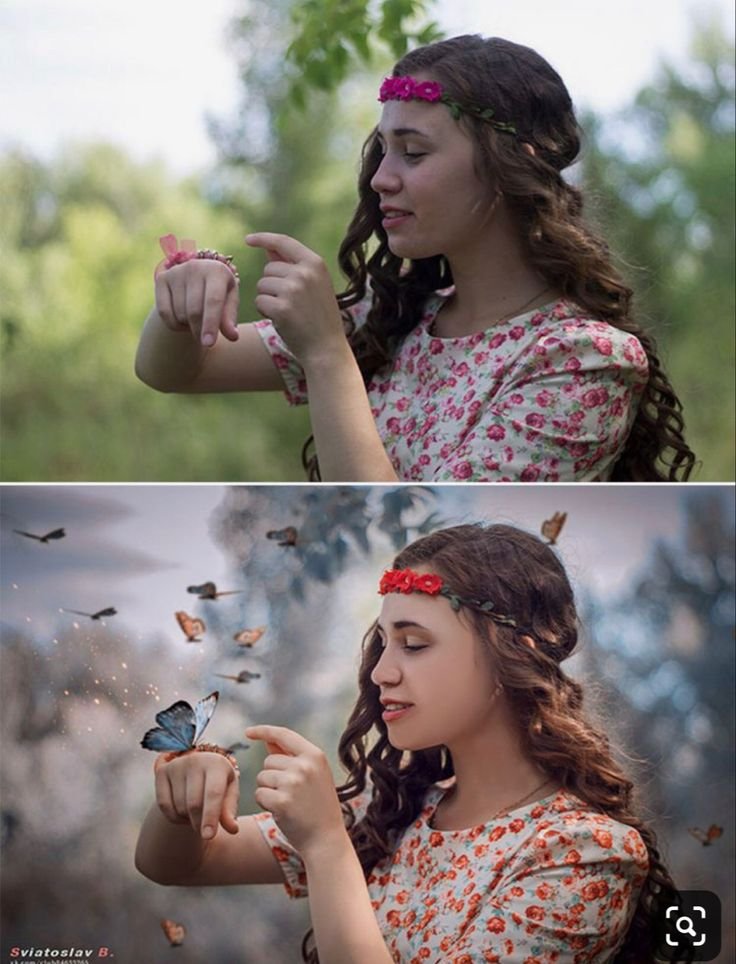
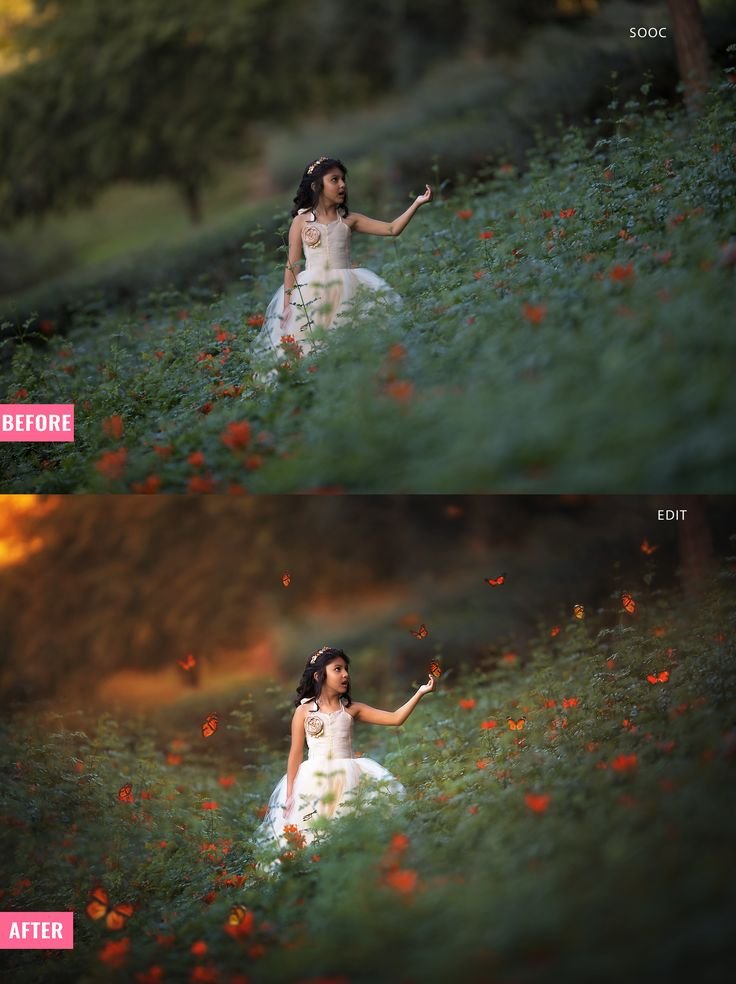
In the original image, we see:
- A young girl standing in a green field
- Natural daylight
- Soft depth of field
- Red flowers scattered across the grass
- Neutral and slightly flat lighting
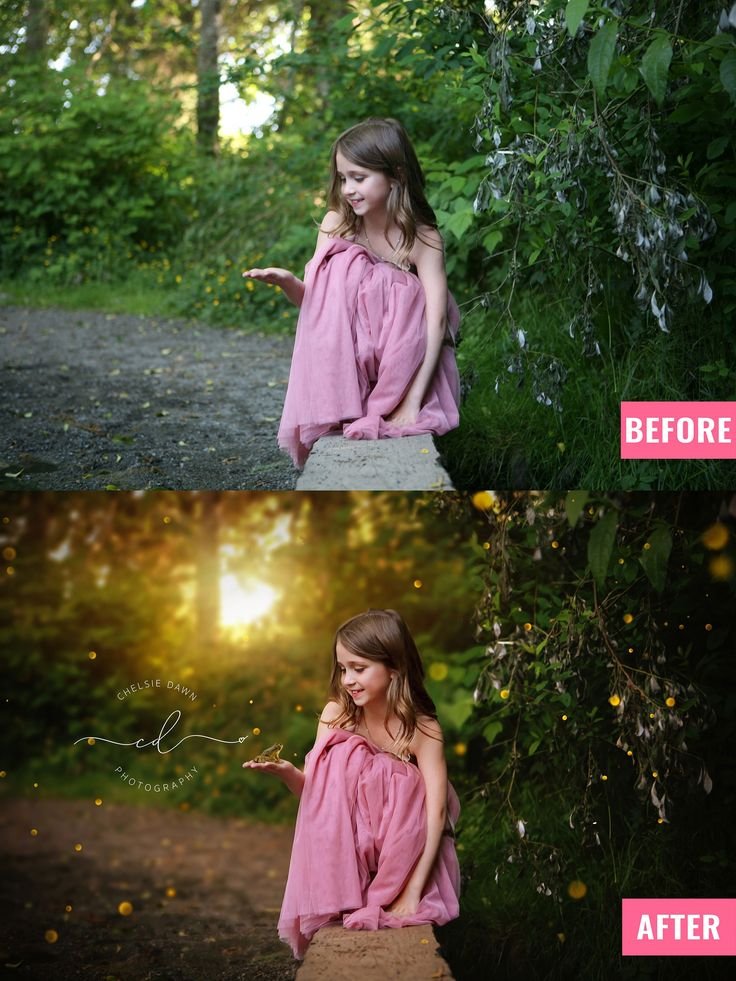
The composition is already strong. The background blur gives depth. The pose feels natural. But the image lacks storytelling impact and emotional intensity.
The goal of the edit is not to completely change the scene. Instead, it is to enhance mood, light, and magical elements while keeping realism intact.
What Makes the After Image Powerful
The edited version introduces:
- Warm golden sunset lighting
- Cinematic color grading
- Enhanced contrast and depth
- Soft glow in background
- Magical butterflies floating around
- Subtle light particles in air
- Emotional storytelling atmosphere
The transformation works because it adds fantasy without breaking realism.
Step 1: Base Color Correction
Before adding any fantasy elements, fix the foundation.
Adjust:
- Exposure slightly up
- Contrast increase moderately
- Highlights down
- Shadows slightly lifted
- White balance warmer
- Greens shifted toward olive tone
This creates a more cinematic base.
Professional Tip: Avoid over-saturation. Fantasy does not mean unrealistic color overload.
Step 2: Create Golden Hour Lighting Effect
The biggest difference between before and after is lighting.
To simulate golden hour:
- Add radial light from top corner
- Use warm temperature
- Add soft orange tint
- Increase glow
- Slight haze in background
AI Prompt for Lighting Enhancement:
“Add warm golden sunset light filtering through trees, soft atmospheric glow, cinematic backlighting, natural skin tones, shallow depth of field, realistic lighting, fantasy photography style”
This creates emotional depth instantly.
Step 3: Add Magical Butterfly Elements
Butterflies introduce storytelling.
They represent transformation, innocence, and fantasy.
When adding butterflies:
- Keep size realistic
- Use motion blur for depth
- Vary distance from subject
- Add subtle glow on wings
- Maintain natural perspective
AI Prompt for Butterfly Effect:
“Add realistic orange butterflies flying around the subject, soft glowing wings, depth of field blur on distant butterflies, natural placement, cinematic fantasy forest scene, high detail, photorealistic”
Avoid overcrowding. Too many elements reduce impact.
Step 4: Background Mood Enhancement
Darken the background slightly to create subject separation.
Adjustments:
- Lower background exposure
- Increase clarity on subject
- Add soft vignette
- Add light mist in distant areas
This builds a cinematic layer and directs viewer attention properly.
Step 5: Skin Tone Preservation
Fantasy edits often destroy natural skin tones.
Keep:
- Soft peach tone
- Controlled highlights
- No excessive smoothing
- Maintain texture
AI Negative Prompt:
“Overexposed skin, plastic skin, unrealistic glow, extreme HDR, oversaturated colors, artificial look”
Complete AI Prompt for Butterfly Fantasy Forest Portrait
You can use this in ChatGPT image tools, Gemini AI, or other AI image generators:
A young girl standing in a green flower field, warm golden sunset light filtering through trees, cinematic fantasy atmosphere, soft glowing orange butterflies flying around her, natural skin tones, shallow depth of field, dreamy forest mood, ultra realistic, high detail, soft backlight, magical storytelling portraitNegative Prompt:
Overexposed highlights, unrealistic colors, distorted hands, extra limbs, artificial lighting, cartoon style, heavy blur, low resolutionImage Usage & Disclaimer
All images used with this soft snowfall winter portrait AI prompt are for educational and demonstration purposes only. Example images may be AI-generated, edited samples, or royalty-free references. Always use images you own or have permission to edit and publish.
The difference between a simple outdoor photo and a powerful fantasy portrait is mood control.
Lighting, color grading, and carefully placed magical elements create transformation without destroying realism.
When using AI prompts properly, you are not replacing photography skills. You are enhancing storytelling.
If you want your photography blog to grow, focus on:
- High quality images
- Deep educational guides
- Clear prompt examples
- Clean formatting
- Consistent publishing
Fantasy portrait editing is one of the highest engagement niches in AI photography today. Use it strategically.